Word Tip 1: Reapplying Styles
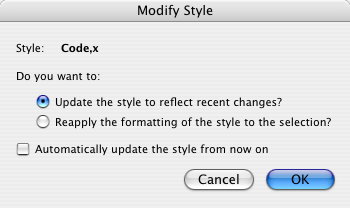
Have you ever needed to reassert a style in Microsoft Word? For example, change all the paragraphs tagged with body back to the real body style. You can reapply the style to each paragraph manually, but that’s really painful especially since Word persists in getting this exactly backwards and making you confirm each change:
Instead you can make one quick global change with search and replace. Simply search for the style (no text) and replace it with itself:
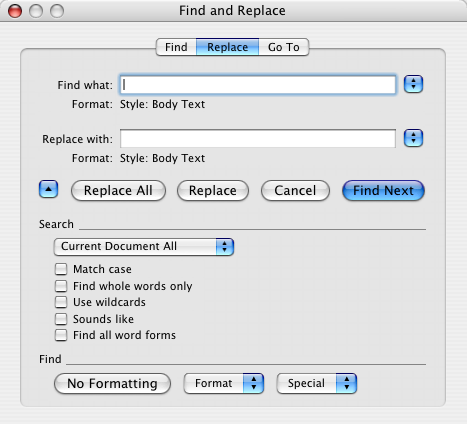
Click “Replace All” and you’re done. the style will have been reapplied to all occurrences, whether that’s three or three hundred.

April 23rd, 2013 at 8:02 PM
This still works perfectly seven years later! Thanks for a great tip!
October 10th, 2013 at 7:22 PM
Great tip. I found that to completely make it swap to the new font for a character style (eg footnote reference) I swapped them all to something the document wasn’t using (eg followed hyperlink) then back again. Finally got all of that leftover Arial to change to Calibri in just a few seconds!